hello@kootenaymade.ca
 Castlegar, BC. Serving the Kootenays and beyond.
 8 min read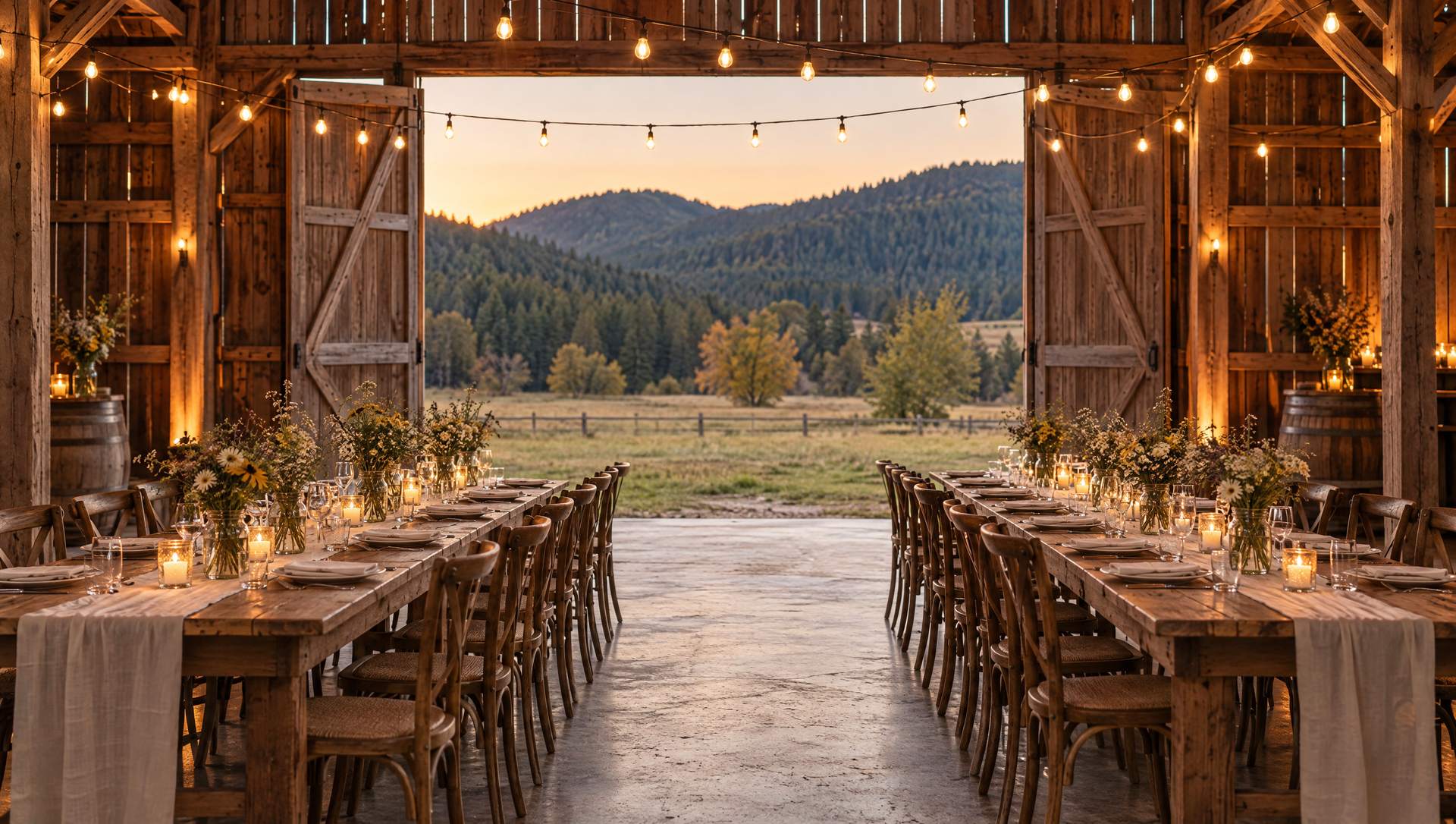
Key takeaways
- Couples shortlist venues from a phone months out, so capacity, setting, and price context have to land in the first minute.
- Honest photos win: show the space empty and dressed, across seasons, not one golden June wedding.
- Answer the questions planners actually ask: catering, alcohol policy, accessibility, parking, curfew, and a wet-weather plan.
- Publish real price context. Hiding the number creates ghost inquiries and fills the inbox with bad-fit leads.
- A short inquiry form plus a clear response window turns a phone shortlist into a booked tour.

On this page
What should a wedding venue website include?
A wedding venue website needs the answers a couple decides on: capacity by layout, the setting shown in honest seasonal photos, catering and alcohol rules, accessibility and parking, a wet-weather plan, and price context, all wrapped in a short inquiry path that promises a reply. It has to make the shortlist in the first minute and earn the tour.
Picture how the choice gets made. A couple planning a wedding near Nelson or a lakeside celebration outside Creston is on a phone during a break, six venue tabs open, cutting the list down before dinner. The site has one job in that minute: give them enough to keep you in and enough to feel safe asking. A wall of moody photos with no numbers fails that test, so a couple who cannot tell if 140 guests fit or what a Saturday costs moves to the venue that told them. The setting sells the feeling. The details win the booking.
- Capacity by layout, so a couple can tell in seconds whether their guest count fits.
- Real photos of the space empty and fully dressed, across seasons, not one golden June wedding.
- Price context that lets a couple self-select, instead of hiding the number and filling the inbox with ghost inquiries.
- The practical answers planners chase: catering rules, alcohol policy, accessibility, parking, and a wet-weather plan.
- A short inquiry form that captures date, guest count, and event type, with a clear note on when they will hear back.
- A shoulder-season lane for corporate retreats, community events, and off-peak dates the calendar can still hold.

How do couples actually shortlist a venue?
Couples shortlist fast and on a phone, months before the date. They keep the venues that answer three quiet questions in the first minute: does my guest count fit, does the setting feel right, and can I roughly afford it. A brochure site hides those answers. A booking-driving site leads with them, so the couple stays long enough to want a tour.
| What is being compared | Brochure venue site | Booking-driving venue site |
|---|---|---|
| First screen | A slideshow and a name | Setting, capacity, and a price range |
| Capacity | One vague number, or none | By layout: dinner, ceremony, cocktail |
| Photos | One styled June wedding | Empty and dressed, across seasons |
| Pricing | Inquire for pricing, nothing else | A real range and what moves it |
| The details | Buried or missing | Catering, alcohol, access, rain plan |
| Inquiry | A long form, no response promise | Short form with a stated reply window |
| Off-peak | Weddings only | A lane for corporate and community events |
Most venue sites are not bad on purpose. They were built to look like a magazine spread and never asked to do the shortlist work, so the couple quietly picks the venue that made the decision easy.
What photos does a wedding venue website need?
Show the truth of the space, not one perfect night. A couple is trying to picture their own day, so give them the room empty and fully dressed, the ceremony setting and the reception layout, and the place in more than one season. Honest photos earn tours. A single stylised highlight reel makes a careful couple wonder what the pictures are hiding.
An outdoor Kootenay venue is at its easy best in golden July light, and that is exactly the shot every venue leads with. The problem is that a couple booking a September or May date cannot see themselves in it. Show the grounds when the larches turn, the tent up in changeable weather, the barn or hall set for a winter celebration, and the unglamorous frames too: the parking, the step-free route, the getting-ready rooms, the kitchen a caterer will actually use. This is the same instinct behind why your website photos need to show more to build trust: the picture that looks least like an advertisement is often the one that closes the booking.
The setting sells the feeling. The honest photo earns the trust. The details win the date.
What do couples and planners actually need to know?
Beyond the setting, couples and planners are chasing a short list of practical answers: capacity by layout, catering and kitchen rules, how the bar and alcohol work at a high level, accessibility and parking, curfew and noise limits, a wet-weather plan, and where guests can stay nearby. Put those on the page and the inquiries that arrive are already a fit.
- 01
Capacity by layout
Seated dinner, ceremony rows, cocktail flow, and dance-floor mode rarely hold the same number. Publish each one so a couple with 140 guests knows in seconds whether the room works, instead of guessing from a single vague figure.
- 02
Catering and kitchen rules
In-house, preferred list, or fully open with a prep kitchen changes the whole budget. Say whether outside caterers and food trucks are welcome and what the kitchen actually offers.
- 03
Alcohol policy at a high level
State how bar service works, whether corkage is allowed, and who carries the liquor licence for the event. Keep it high level and accurate, and never invent regulation text or quote rules you have not confirmed.
- 04
Accessibility and parking
Step-free routes, washrooms, and on-site parking or shuttle reality matter to real guest lists. A mountain or lakeside setting is a selling point, so describe the walk, the grade, and the ground.
- 05
Wet-weather and curfew
Every outdoor Kootenay venue needs a rain answer and a plan-B tent or indoor space. Noise limits and a music curfew belong on the page too, because a planner will ask before the deposit clears.
- 06
Accommodation nearby
Guests travelling to a venue near Nelson, Castlegar, or Creston want somewhere to stay. On-site cabins, a nearby lodge, or a short list of options reduces friction for the whole party.
None of that is fine print. It is the exact list a couple and their planner build before they will send an inquiry, and every answer missing from the page becomes an email you have to trade before anyone can decide. These are the questions the page has to settle on its own.
- Does my guest count actually fit, for a seated dinner and for the ceremony?
- What does a Saturday in peak season really cost, at least as a range?
- Can I bring my own caterer, and how does the bar work?
- What happens if it rains on an outdoor ceremony?
- Is the site accessible for older guests, and where does everyone park?
- When will someone actually reply if I send an inquiry?
Should a wedding venue publish prices?
Publish real price context, even as a range. A Saturday-in-peak-season starting point and the factors that move it let a couple self-select before they inquire. Hiding pricing feels safe, but it creates ghost inquiries: couples who ask, discover the venue is far outside their budget, and disappear. A range earns fewer, better-qualified conversations.
The fear is understandable: a venue worries a number scares people off or invites price shopping. In practice the couple who cannot see a range assumes the worst, or inquires anyway, and either way the inbox fills with mismatches. Say what a typical peak-season date starts at, name what moves the figure, guest count, day of the week, season, and add-ons, and let the right couples raise their hands.
A venue presence site at Kootenay Made Digital starts at $2,000, and a gallery- and inquiry-heavy build is scoped to what the venue actually needs, not a package name. The Own It Monthly plan spreads it: $2,000 once, or $500 today and 12 monthly payments of $142, $2,204 all in, with the site yours outright at payment 12.
What should a venue inquiry form ask?
Ask for just enough to reply well: names and one contact, the event date or a flexible range, an approximate guest count, the event type, and a short note. Then promise a response window. A couple sending inquiries to several venues in one sitting often books the one that answers first, so the shortest honest path from first look to booked tour usually wins.
- Names and one contact
- A name and a phone or email is enough to reply well. Everything past that should earn its place on the form.
- Event date or range
- A specific date or a flexible window lets you answer availability in the first reply instead of a back-and-forth.
- Guest count
- An approximate headcount tells you which layout applies and whether the room is a fit before anyone drives out.
- Event type
- Wedding, corporate retreat, celebration of life, or community fundraiser each need a different reply and a different tour.
- A short note
- One open field for the vision, the must-haves, or the question on their mind. Keep deep intake for the tour conversation.
Venue inquiry forms are easy to overbuild. It is tempting to ask for the full guest breakdown, the budget, and the colour palette before a single reply, but a couple standing in a kitchen at nine at night only knows the date and roughly how many people, and a wall of required fields reads as work. Keep the first move light, then say clearly what happens next: who replies, how fast, and how to book a tour. A contact path that goes quiet is the most expensive leak a venue has, which is the whole point of why a contact page that feels like a dead end costs you. A venue that wants the booking and the deposit taken on the site itself is an Empire build, with venue bookings and deposits in one owned system.
A realistic before and after
Illustrative composite, no invented numbers. The point is the shape of the change, not a metric.
Before
A venue led with a full-screen slideshow of one July wedding, listed capacity nowhere, hid pricing behind an inquire-only line, and ran a long form with no reply promise. Couples could not tell whether their guest count fit or what a date cost, so many inquiries never came, and the ones that did were mismatched on budget.
After
The rebuild put capacity by layout and a peak-season price range in the first screen, added honest photos across seasons and the room both empty and dressed, spelled out catering, alcohol, access, and the rain plan, and shortened the form to the essentials with a stated response window. The same traffic produced fewer, better-qualified tour requests.
Can a venue book corporate and community events too?
Yes, and the calendar needs it. Weddings cluster in peak months, but corporate retreats, staff celebrations, workshops, celebrations of life, and community fundraisers can fill the shoulder-season dates a wedding calendar leaves open. A venue site that only speaks to couples quietly turns away the bookings that keep the off-peak months alive.
The move is small: give non-wedding events a real lane, not an afterthought. A short section that speaks to a Nelson company planning a fall retreat, or a Castlegar group booking a mid-week fundraiser, tells them the space is available and the venue knows how to host them. Weekday and off-season pricing, a capacity note for meeting layouts, and a photo of the room set for something other than a wedding are usually enough to open a whole second stream of inquiries.
What should a venue fix first if the website is weak?
You rarely need a full rebuild on day one. Fix where the shortlist leaks first: capacity and price context in the first screen, then honest photos, then the practical answers, then the inquiry path. Most of this is a sequence problem, not a budget problem, and the early fixes are the ones a couple feels before they ever send a message.
- 01Open the site on a phone and read it like a couple with 130 guests and a June date. Mark the first moment you cannot answer capacity, setting, or rough price without hunting.
- 02Put capacity by layout and a real price range in the first screen, so a couple can self-select before they scroll.
- 03Replace the single golden-hour gallery with honest photos: the space empty and dressed, in more than one season, shot on real event days.
- 04Add the practical page planners chase: catering rules, alcohol policy at a high level, accessibility, parking, curfew, and the wet-weather plan.
- 05Shorten the inquiry form to date, guest count, event type, and a note, then state the response window and add a shoulder-season lane for corporate and community bookings.
A good venue site compounds, because every event produces better proof, better seasonal photos, and better answers for the next couple scanning on a phone. When you are ready to turn that into a clean booking path, the full playbook for how I build these lives on the venue and event website design page, and a free check-up will show you the leaks first. The real cost is not the fix. It is every couple who loved the setting and quietly booked the venue that answered them.
Sources and further reading
- Google Search Central: SEO Starter Guide
Google explains how clear titles, headings, helpful content, and useful structure help both couples and search systems understand a venue site.
- Google Search Central: creating helpful content
Google frames strong pages around people-first usefulness and real experience, which is exactly how a couple reads a venue before sending an inquiry.
- Google Business Profile help: add photos and videos
Guidance on the photos and videos that help customers understand a place, including exterior, interior, and setting views that reinforce the website.
- Google Search Central: local business structured data
How to describe a physical venue, hours, and location to search engines so a nearby couple can find and trust the listing.
Frequently asked questions
Should a wedding venue publish prices on its website?
Publish enough price context to let couples self-select, even if it is a range. A Saturday-in-peak-season starting point and the factors that move the number filter out bad-fit inquiries and protect your inbox. Hiding pricing entirely creates ghost inquiries: couples who ask, learn the venue is out of budget, and vanish. A range earns better-qualified tours.
What photos does a wedding venue website need?
Show the space empty and fully dressed, and show it in more than one season. Couples are trying to picture their own event, so a single golden June wedding is not enough. Real photos of the ceremony setting, the reception layout, the getting-ready areas, the parking and access, and the view in shoulder season build the trust that a stylised highlight reel cannot.
What should a venue inquiry form ask?
Ask for names and one contact, the event date or a flexible range, an approximate guest count, the event type, and a short note. That is enough to reply well and route the tour. Keep deep intake for the conversation. State when someone will reply, because a couple sending inquiries to several venues at once often books the one that answers first.
How do wedding venues get more bookings from their website?
Make the shortlist, then make the inquiry easy. Put capacity, setting, and price context in the first minute, tell the truth with honest seasonal photos, answer the practical questions planners chase, and shorten the path to a booked tour. Most venues lose bookings not to a competitor but to a page that made the couple work too hard to picture their day.
Do wedding venues need SEO?
Yes. Couples search terms like wedding venue near Nelson or lakeside event space in the Kootenays, and a venue that answers those queries clearly gets found. Clear page titles, honest local detail, a complete Google Business Profile, and structured information about the place all help a nearby couple find the venue before they find a competitor.
How much does a wedding venue website cost?
A venue presence site at Kootenay Made Digital starts at $2,000, and a gallery- and inquiry-heavy build is scoped to what the venue actually needs, not a package name. The Own It Monthly plan spreads it into $500 today and 12 monthly payments of $142, which is $2,204 all in, with the site yours outright at payment 12. The right scope depends on how much gallery, calendar, and inquiry work the venue really needs.
Related pages
- Venue and event websites
- Lodging and hotel websites
- Golf course websites
- Web design in Nelson
- Web design in Kimberley
Kootenay Made Digital
I build websites, local presence, and calm AI setups for Kootenay small businesses. Plain language, published prices, and clear work that makes you easier to find and easier to choose.