


 hello@kootenaymade.ca
 Castlegar, BC. Serving the Kootenays and beyond.
The booking is won before they ever arrive.
Tourism and resort website design that turns trip dreamers into direct bookings.
Travellers plan the Kootenays three tabs deep: your site, an OTA, and a competitor down the Powder Highway. I build tourism and resort websites from Castlegar, BC that sell the imagined day, answer price and cancellation doubt, and convert the booking window into direct bookings your booking engine simply confirms.

How travellers actually choose a Kootenay trip
I position a tourism and resort website as the owned layer that wins direct bookings: visual desire, all-in pricing honesty, plain cancellation terms, seasonal search depth, and calm integration with the booking engine and PMS you already run. Every price and policy on the page has to hold up, because one surprise fee at checkout sends the trip straight back to the OTA tab.
- 01
Visitors buy the imagined day first
They picture the view from the deck, the drive in, the run, the trail, the meal, and the photos they will post. Before anyone opens a calendar, the site has to make that future day feel real and reachable, because the itinerary in their head is what actually gets booked.
- 02
Doubt sends the booking to the marketplace
Unclear policies, fees that appear late, buried availability, dated photos, and a slow mobile page each hand a planning traveller a reason to postpone or compare on an OTA they already trust. Every doubt the site answers up front is a direct booking that never leaks commission to a marketplace.
- 03
A deposit is an act of trust, not a transaction
Paying for a stay weeks before arrival, sight unseen, is a leap. Recognizable payment logos, plain cancellation terms, real reviews, and a credible brand are what make a stranger comfortable booking direct with you instead of hiding behind a marketplace refund policy they already know.
- 04
The booking window decides the season
Ski trips on the Powder Highway get planned months out; a lakeside weekend gets planned on a Tuesday. Each offer has its own booking window, and the planning content, packages, and email capture have to be live and ranking before that window opens, not scrambled together after it closes.
- 05
Shoulder season is won in advance
The quiet weeks between snowmelt and summer do not fill themselves. Operators who publish shoulder-season itineraries, event tie-ins, and honest weather framing while competitors go dark are the ones who turn the freshet lull into paid nights instead of writing the whole month off.
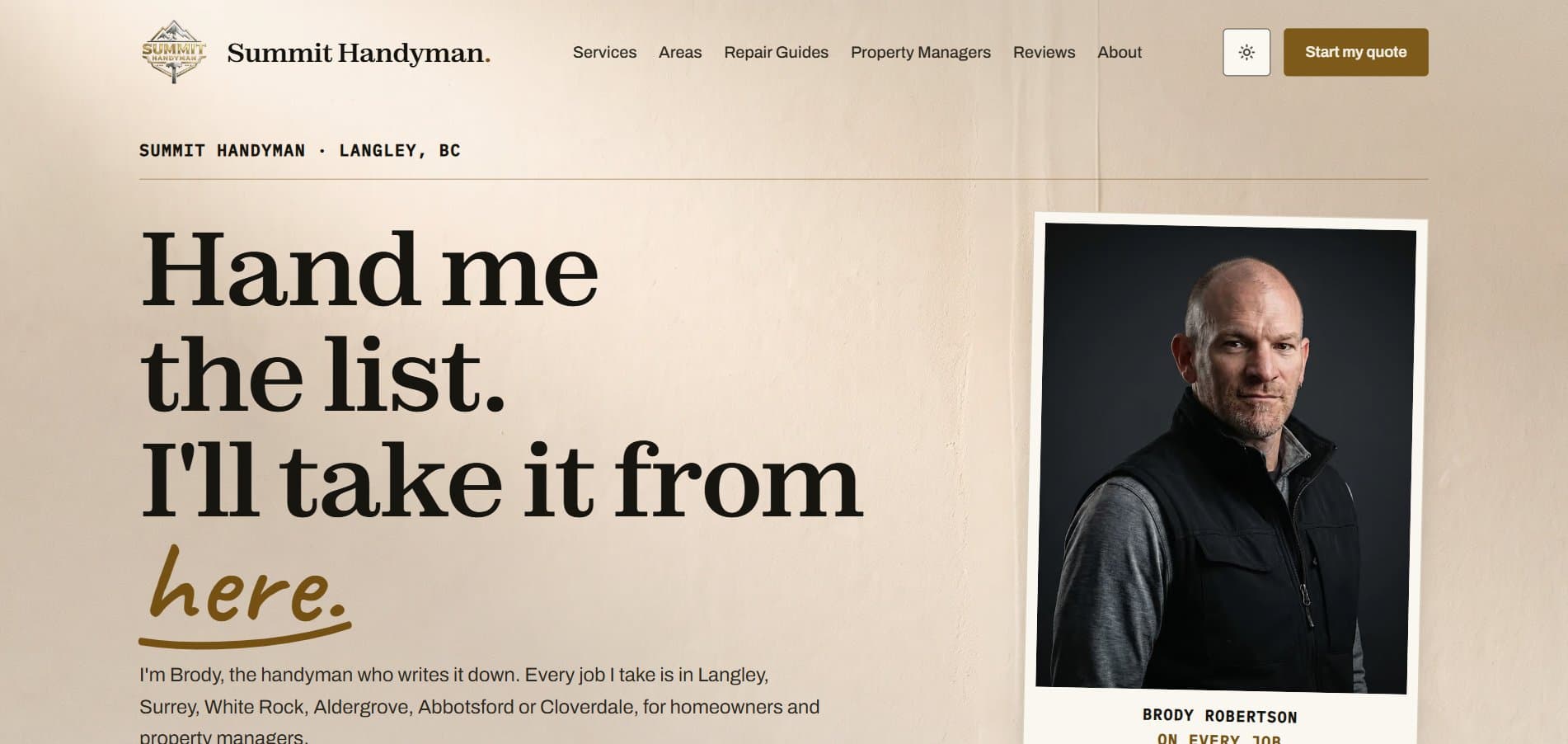
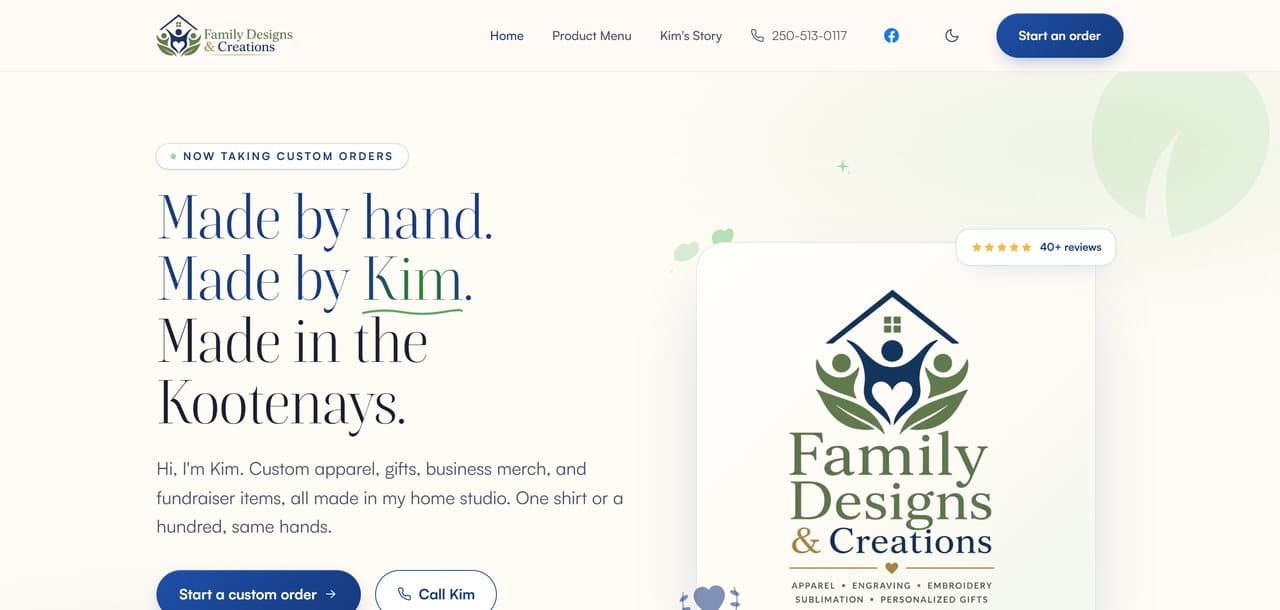
A destination build you can click through
No destination or DMO build in the portfolio yet. Here is the standard the first one will be held to, and the range it will be measured against.

What goes into a tourism and resort website
- 01
Inspiration-first homepage
The homepage leads with the experience, the place, and the season instead of dropping visitors into a bare availability widget. Real photography, a tight offer hierarchy, and one clear next step do the selling the booking engine cannot, on the phone where most trips are actually chosen.
- 02
Direct-booking and package paths
Stays, tours, rentals, passes, gift cards, and group inquiries each get a clean decision path that shows all-in pricing and policy up front, then hands off to your booking engine or PMS at the moment of commitment. The traveller never feels the seam between the site and the calendar.
- 03
Itineraries and trip planning
Seasonal itineraries, day plans, road and weather notes, difficulty ratings, packing tips, and local context remove the planning friction that quietly kills bookings. A traveller who can picture the whole trip, including the drive over the pass in February, books with far more confidence.
- 04
Seasonal and answer-engine SEO
Pages built for the searches travellers actually run: things to do, where to stay, tours near a destination, seasonal conditions, and the trip-planning questions AI answers and Google now surface directly. Destination website design in BC lives or dies on this layer, and template sites skip it. Listings help too, and my guide covers how to get listed on HelloBC.
- 05
Booking, payment, and PMS integration
The booking engine, PMS, online waiver, gift card, channel manager, review, and email tools you already run keep working. Deposits route through compliant payment paths so card data never touches the marketing site, and the whole stack reads as one calm system instead of a pile of widgets.
The standard that comes with every build I ship.
- Visitor-first sitemap and destination content architecture
- Custom tourism homepage with high-intent booking and inquiry paths
- Seasonal itineraries, packages, and activity pages matched to each booking window
- Booking engine, PMS, waiver, gift card, email, and analytics integration
- All-in pricing and policy displays built to Competition Act expectations
- Local and answer-engine SEO for destination, activity, and trip-planning searches
- WCAG 2.2 AA accessibility, CASL-ready capture, payment routing to your booking engine, and full migration of URLs, redirects, and Search Console

Where the trip stalls, and what the stall costs the season
A trip that never gets planned is charged to both sides: the visitor loses the weekend they were picturing, and you lose a night you can never re-sell. The right column is the build decision that ends the stall.
The site only speaks for one season
Costs them
Somebody planning a February ski week in September lands on lake photos and patio shots and cannot tell whether you even run in winter.
Costs you
A whole booking window passes with your best season unrepresented, then you chase it with discounts once the dates are close.
FixWinter, summer, and shoulder itinerary pages that swap on schedule, each live and indexed months before its own booking window opens.
Nobody has written down the drive in
Costs them
They cannot tell how the pass behaves in February, how long the run from Calgary takes, or where the last fuel stop sits.
Costs you
An inbox of route questions during your busiest weeks, and the travellers who quietly picked a destination closer to the highway.
FixTrip-planning pages with drive times, pass and ferry timing, and honest seasonal road context, written once and updated by staff.
The trip has to be assembled from five pages
Costs them
They wanted a weekend, not a research project, so the group chat stalls and the dates slide until the good ones are gone.
Costs you
Bookings that die in the planning stage, and a mid-week gap you fill later at a rate you would rather not name.
FixItineraries that assemble the whole thing: the stay, the activity, the meal, the drive, each one forwardable as a single link.
The freshet weeks are left to sort themselves out
Costs them
Nothing tells them there is anything worth doing between snowmelt and swimming, so they skip the region for those weeks entirely.
Costs you
Staff kept on through empty rooms, and a quiet stretch you write off every year instead of selling it to somebody.
FixShoulder-season pages with honest weather framing, event tie-ins, and offers published while every competitor goes dark.
The booking widget is doing the whole job
Costs them
They land on a grid of dates with no reason to prefer you over the marketplace tab already open beside it.
Costs you
Commission paid for reach you could have earned, and price comparison against every operator sitting on the same platform.
FixAn inspiration-first homepage and offer pages that sell the place, the season, and the day before the calendar ever loads.
The seasonal itinerary engine
The Kootenays do not have one season, they have a rotation: powder weeks on the Powder Highway, the quiet freshet stretch when trails close and the lakes rise, then the long patio-and-lake summer. Most tourism sites publish one set of pages and let them go stale through all three.
I structure yours as a seasonal itinerary engine instead. Winter itineraries, summer day plans, and shoulder-season angles each get their own pages, written for the searches travellers run inside their booking window, which opens months earlier for a ski trip than for a lakeside weekend. When the season turns, the site turns with it: hero, packages, and planning content swap on schedule, so the visitor researching next February in September lands on content that already matches the trip in their head.
- Winter, summer, and shoulder-season itinerary pages that rank inside each booking window
- Freshet and patio-season pivots planned into the content calendar, not improvised
- Opening alerts and package drops that catch dreamers before the dates sell out
Pricing, deposits, and waiver rules I build to
A site in this category is judged on more than looks. These are the obligations and reassurances I build in by default, so the business stays credible and protected.

All-in pricing, not surprise fees
Drip pricing, where cleaning, booking, resort, or admin fees appear only at checkout, is now treated as a deceptive practice under the Competition Act, with sales tax the main permitted add-on. I build pricing displays that show the real total or disclose mandatory fees clearly up front, which also happens to convert better.
Honest cancellation and refund terms
BC's Business Practices and Consumer Protection Act treats misleading or buried terms as unfair practices, and Consumer Protection BC enforces them, including the Travel Industry Regulation. I put cancellation windows, deposit terms, and refund rules where a guest finds them before paying, not hidden in fine print after.
Deposits routed through your booking engine
Taking deposits and balances means card data comes with card-industry rules. I route payments through your booking engine or a payment processor so sensitive card details are tokenized and never stored on the marketing site, keeping the operator out of needless compliance scope while the booking still runs in one unbroken step for the guest.
WCAG 2.2 AA accessibility by default
Accessibility is the baseline standard for credible Canadian websites and a real audience need, since many travellers check mobility, vision, or family access before booking. I build to WCAG 2.2 AA: keyboard navigation, contrast, alt text, and accessible booking forms, with clear access and facility information so visitors with specific needs can book with confidence.
CASL-compliant email and marketing
Canada's Anti-Spam Legislation requires real opt-in consent, clear sender identification, and a working unsubscribe in every commercial email. I wire seasonal email capture, opening alerts, and package campaigns to collect consent properly, so your follow-up marketing is built on a consent record that holds up.
Waivers and safety information that hold up
For guided and adventure operators, online waivers are enforceable in BC only when reasonable steps make the terms, especially the negligence and assumed-risk clauses, clearly visible. I present safety expectations, difficulty, and waiver and release information prominently and route to your waiver tool, supporting your obligations under the Occupiers Liability Act rather than burying them.
Want this standard on your site?
One conversation, no pitch deck. Tell me where the business is stuck and I will tell you what I would build.
What a build like this costs.
A smaller operation here often needs a focused presence site rather than a platform: the Trailhead, $2,000, or $500 today and $142 a month on Own It Monthly ($2,204 total). Plenty of operations this size run on exactly that, and they own it outright.
Full-scale platforms run from $10,000, scoped per project
The Empire · typical timeline from 8 weeks, phased · billed by milestone
Destination sites carry itineraries, seasonal SEO, and booking-engine integration that outgrow a fixed tier, so I scope each build per project and phase it so the booking paths ship first.
The price depends on what you actually need, not on a package name. Start with the free check-up or the contact form, and I will book a proper 45-minute consultation with you, no pressure either way.
Comparing options right now? What a website should cost breaks down how to read any quote, and who actually owns your website covers what you keep if you ever leave, on any platform, including mine.
Your booking engine, PMS, and channel stack does the plumbing. KMD wins the decision.
The goal is not to rip out FareHarbor, Cloudbeds, or the channel manager that keeps your calendar honest. It is to beat the builder ceiling: a public site shaped around the booking tool instead of the traveller, with thin seasonal SEO, generic copy, and a pricing display that springs fees at checkout. I make the owned site more specific, more trustworthy, and more searchable than a template wrapped around an embed.
Most operators already run capable systems for availability, reservations, deposits, waivers, gift cards, channel management, OTAs, reviews, and reporting. None of those tools is built to win the visitor over before the widget loads. The website is where the trip gets sold, the doubt gets answered, and the direct booking gets protected from the marketplace tab next door.
What the category tool covers
- Tour and activity booking engines like FareHarbor, Rezdy, Checkfront, and Bokun
- Property and channel systems like Cloudbeds, SiteMinder, Little Hotelier, and Lodgify
- OTAs, Google Business Profile, TripAdvisor, maps, gift cards, online waivers, and payment flows
- Seasonal packages, itineraries, destination guides, events, road and weather notes, and local trip planning
- A custom public website layer that builds desire and confidence before visitors ever reach the booking widget
Where the upgrade actually pays off.
- 01
Keep the booking engine and channel manager that run your operation, but stop letting their widgets and built-in site builders define the brand, the itineraries, and the seasonal SEO
- 02
Sell the destination and the imagined day with real photography and all-in pricing before asking anyone to pick a date, room, or activity
- 03
Capture dreamers early in the booking window with CASL-ready opening alerts and package drops, then make the owned site more useful than any OTA listing so the direct booking wins on merit
Where I would start.
- The Empire, web platformsThe Empire is where most builds for this kind of business land, and every tier is priced on the page.
- Ongoing supportRates, closures, conditions and packages change with every season, and a support plan keeps up with them.
- The Lantern, short story videosAn announcement film for opening day or a new season runs 15 to 20 seconds, made for Reels and the feed with no shoot day.
- The Signal, social media postingI keep your feed moving through the season, from opening day to the last weekend, with your real photos of the place.
Related guides.
- How Seasonal Businesses in the Kootenays Should Prep Their Website Before Summer
- How Kootenay Tourism Businesses Can Win Visitors Before They Arrive
- How to Prepare Your Website for Ski Season in a Ski Town
- How to Get Listed on HelloBC, Now SuperNaturalBC, and Kootenay Rockies Tourism
- Tourism Season Is Coming: Is Your Website Ready for the Rush?
- How Long Does It Actually Take to Build a Small Business Website?
- How an Adventure Tour Operator's Website Fills Seats
- What a Campground or RV Park Website Needs Before Booking Season
- BC Small Business Grants and Programs: What Is Open (2026)
- How a Small Lodge Website Wins Direct Bookings
Tourism website questions, answered straight
When is the best time to rebuild a tourism website?+
The shoulder season before your peak. Bookings are researched months ahead, so a site that goes live and gets indexed before the planning window opens earns the whole season's searches. Rebuilding mid-peak risks your busiest traffic; I schedule tourism builds so launch lands in the quiet months.
How much does a resort or tourism website cost in BC?+
A full destination or resort build starts at $10,000 and is scoped per project, because a six-cabin lodge and a full-service resort need very different depths of itinerary content, seasonal SEO, and booking integration. I phase the work so the booking paths and the pages for your next booking window go live first, and I put the full scope and price in writing before anything starts.
Can you connect my booking engine?+
Yes. If FareHarbor, Rezdy, Checkfront, Bokun, Cloudbeds, SiteMinder, Little Hotelier, Lodgify, or another system runs your operation, I keep it and rebuild the public website around it. Your calendar, deposits, channel sync, and reporting stay exactly as they are; what changes is everything the traveller sees before the widget loads.
Is it legal to add cleaning, booking, or resort fees at checkout?+
Mandatory fees that only appear at checkout are treated as drip pricing under the Competition Act, with sales tax the main permitted add-on. I build pricing displays that show the real total, or every mandatory fee, up front. That keeps you onside with the law and, in practice, it is also what makes a traveller comfortable booking direct.
How do you handle deposits and payment security?+
Deposits and balances route through your booking engine or a payment processor, so card data is tokenized and never stored on the marketing site. You stay out of unnecessary compliance scope, and the guest still experiences one smooth flow from daydream to confirmation email.
Will the site meet accessibility expectations?+
I build to WCAG 2.2 AA: keyboard navigation, proper contrast, alt text, and accessible booking forms, plus plain access and facility details for the property itself. Many travellers check mobility, vision, or family access before they ever ask about dates, so accessibility widens the market as much as it satisfies the standard.
Can the site actually win bookings back from OTAs?+
Yes. Direct bookings win when the owned site is more useful than the listing: best-rate reasons, real photos, honest all-in pricing, plain cancellation terms, local itineraries, and reviews in one place. An OTA page cannot tell the freshet from the powder weeks; your site can, and travellers feel the difference.
Will a rebuild hurt my Google traffic or booking links?+
Not when the migration is treated as part of the build. I inventory every URL, map redirects, carry over metadata and images, check every booking link, and review Search Console before and after launch, so the seasonal pages that already rank keep ranking while the new site takes over.

Who builds this
I am Brett, the person behind Kootenay Made Digital. I plan, design, and build every site myself from Castlegar, BC, so the person you email is the person doing the work.
Founder, Kootenay Made Digital · Castlegar, BC
Ready to win your next booking window?
Destination builds are scoped per project and phased, so the itinerary pages that win your next booking window are live before the season turns.
No website yet?
Start My First WebsiteAlready have one?
Get a Free Check-Up